

A Substack Tutorial!
⚡️Get the most out of Secret Stuff⚡️


This post was originally written for monthly members of Secret Stuff, but the tips are helpful for free and paid subscribers across all of Substack, as so many of our favorite creators are migrating here. If you like it, I’d love for you to subscribe.
In early 2025, I combined my longstanding email newsletter the Secret Posts and my membership community Secret Stuff and moved us all under one umbrella here on Substack. While I couldn’t be more thrilled to simplify those things, I also understand that Substack has a learning curve.
I’m still figuring a few things out myself, but I wanted to address some of the questions that I think will make your membership better.
Things to know from the beginning:
Substack subscriptions CAN be simple. You can sign up to receive a creator’s content via email and never engage in any other way. You do NOT have to go all in on the whole Substack universe (comments, chat, notes, etc) in order to be a subscriber/member.
You cannot change your settings on mobile
Podcast episodes published on Substack can be listened to in your regular podcast app and will show up there just like any other podcast subscription, even if the podcast is “members-only” content. (details on that below)
The Substack app is pretty awesome if you’re subscribing to multiple creators. You can change your settings for each subscription, determining if you get their posts via email, in the app only, or by mobile push notifications.

The most important pieces of a Secret Stuff membership:
Monthly Symposium & Book Club zoom meetings (two different evenings a month, with slightly different formats, but they function in the same way)
Personal episodes from me, regular reading roundups, and meeting REPLAYS all delivered podcast style
Members-only chat and comments sections
I’m going to share all of these specifically below, but first I want to talk a bit about subscribing to someone (anyone!) on Substack generally. Because that’s the very first place your Substack experience starts.
Subscribing on Substack:
Everyone is moving to Substack these days. Maybe you’ve clicked through from a link in a newsletter or from a social media site hoping to get to a promised article, only to be greeted with some version of this subscription page:
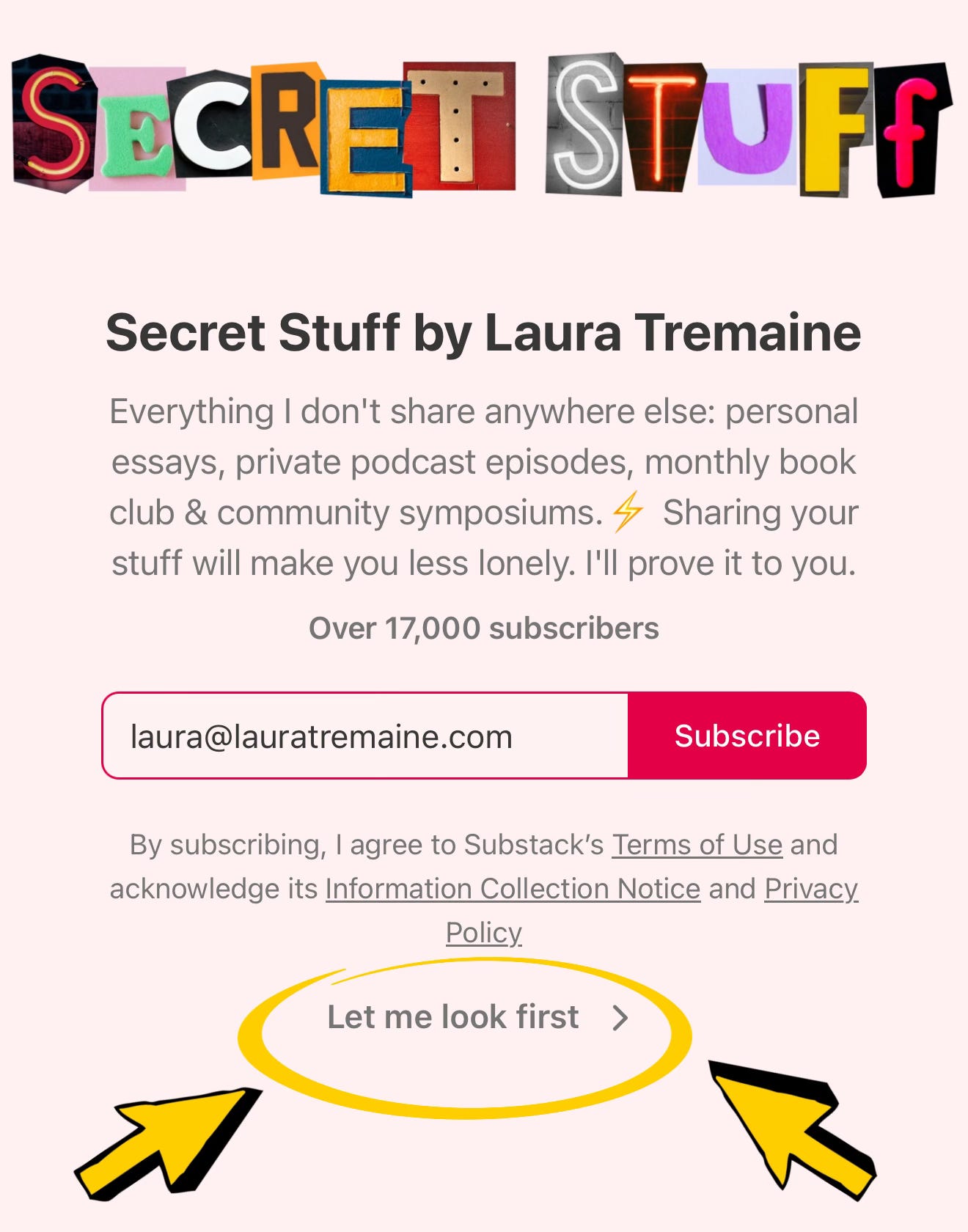
If you already know that you want to subscribe via email to the creator, then by all means input your email address! But if you aren’t sure, there is always some version of “no, thanks” under the subscribe box. Click that to be taken directly to either the article/post the person linked to, or to the creator’s Substack homepage, where you can get a vibe of the type of content they’re creating.
A lot of people get stuck here because they don’t want to give their email address away and don’t see the small print below it.
But let’s say you were already interested and input your email address. You might then be taken to a page like this:
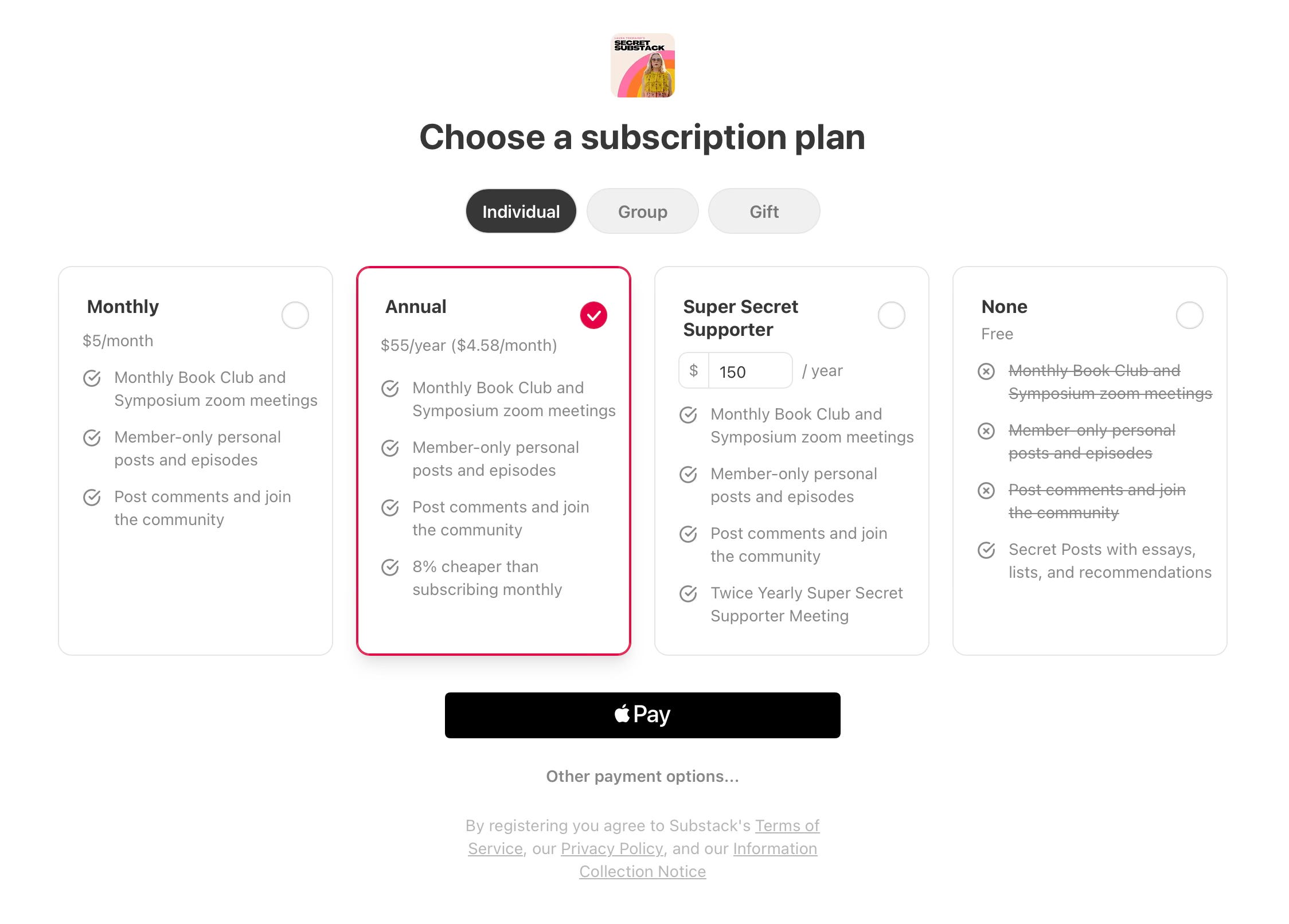
Remember that you can always choose the FREE option on the far right. Different creators offer different versions of what they provide for free or for the paid plans, but on Substack there is always an option to subscribe for free.
After you make that selection, here is where a lot of people click the wrong thing and end up very, very frustrated with Substack:
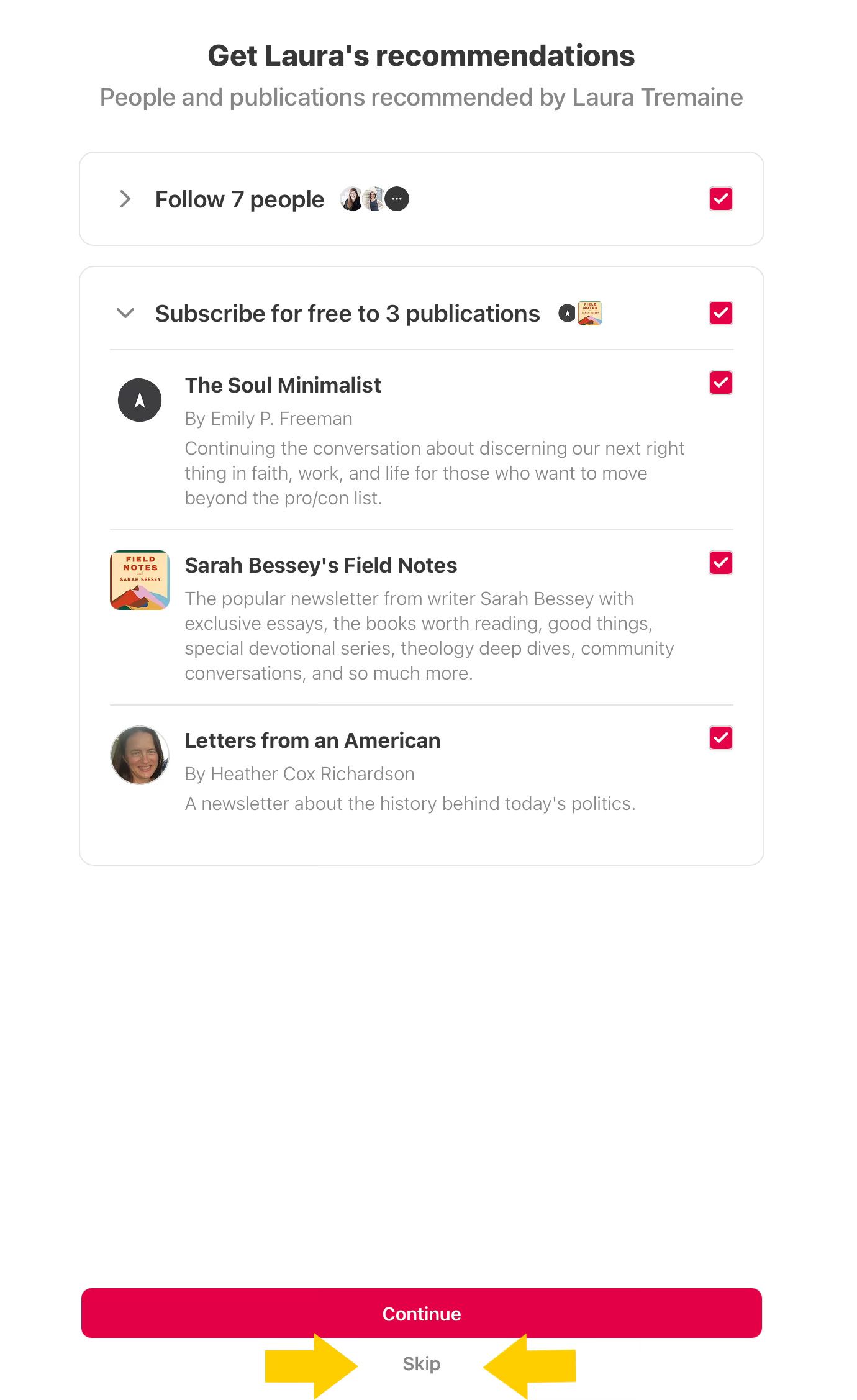
A version of the above page will appear and most people just click “continue” and don’t look at it because they’re anxious to get to the article or creator that they just signed up for.
But what you’re doing when you hit “continue” is you’re suddenly following and subscribing to these new people that you never meant to. So you might start getting app notifications or emails from these creators and you’re like “what in the world, Substack?!” because you never meant to sign up for anything else.
This is the most frustrating part of the subscribe process on Substack and there is nothing we can do about it. If this has already happened to you, just unsubscribe or unfollow the extra people. And now you know for the next time you want to subscribe to someone.
Finally, you might then land on a version of this page:
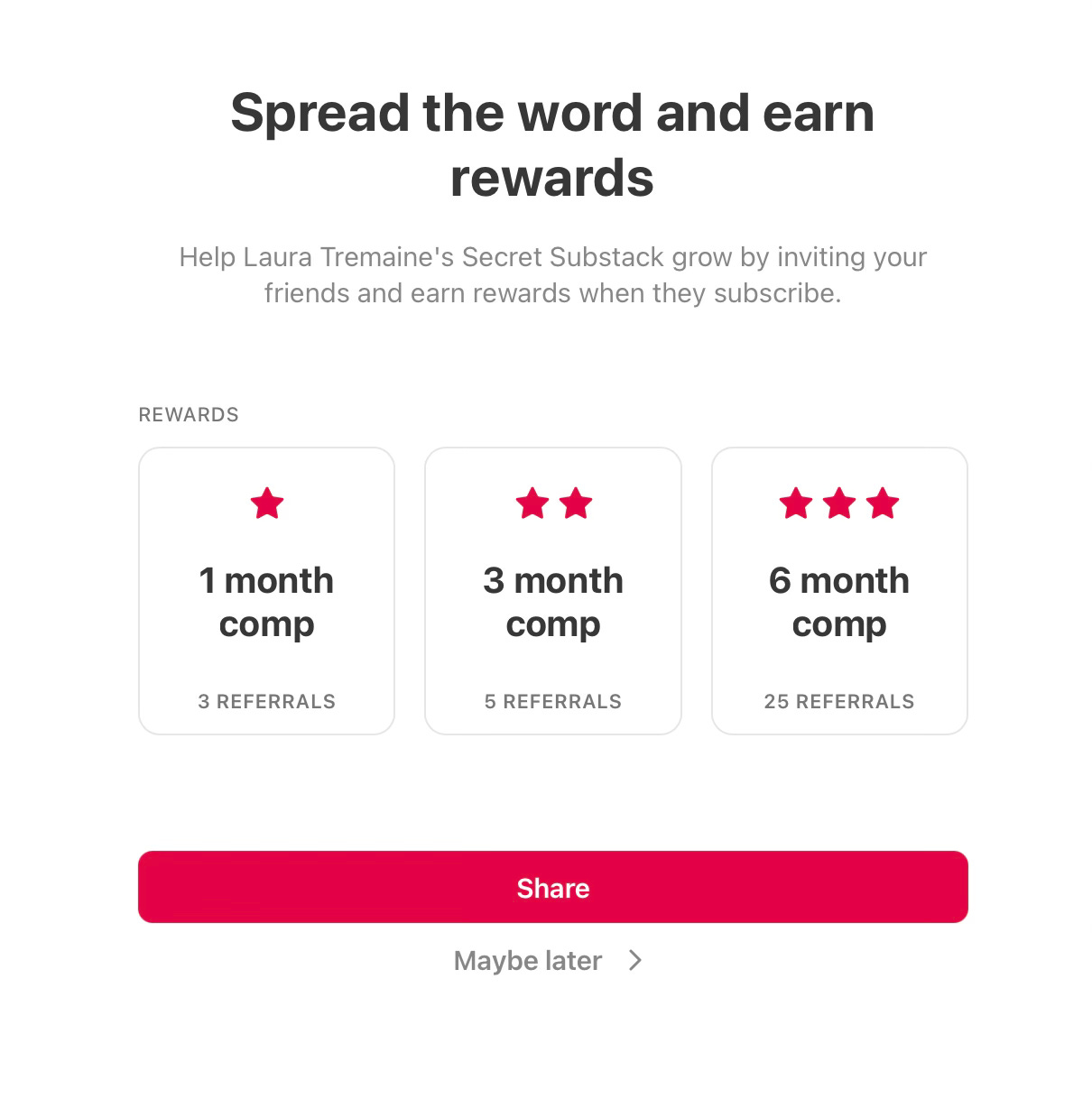
I offer the referral rewards (not all Substack creators do), but you do not have to share anything right at that minute in order to receive your comps. Just click “maybe later” on this page to get to the good stuff.
(If there is ever something I write that you DO want to share, using the share buttons on the piece while you’re logged into Substack is the best way to automatically be counted for referrals.)
Again, as creators we cannot control how many of these pages you have to go through in order to get to the article or Substack homepage that you’re looking for. I don’t like that it’s set up this way, but this tutorial will hopefully keep you from adding anything to your inbox or notifications that you do not want.
Okay! Now that you’re all happily signed up for Secret Stuff, how to participate and get the most bang for your buck?
First of all, make sure your settings are the way you want them. (Note: you cannot manage subscriptions on your phone.)
With any Substack subscription, you can choose if you’d prefer to receive the content via email, via push notifications on your phone, or have no notifications at all. To check your settings, go to your profile photo in the top right corner of the browser:
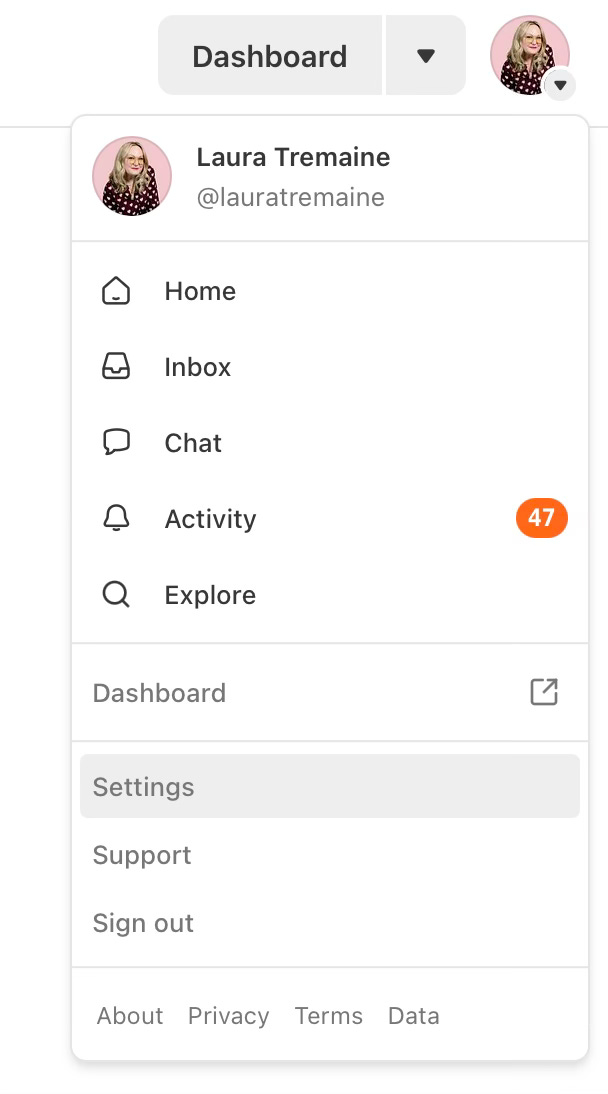
Scroll down to settings, and it will take you to a page with all of your subscriptions and lots of different privacy options. There’s an overall notification setting that looks like this:
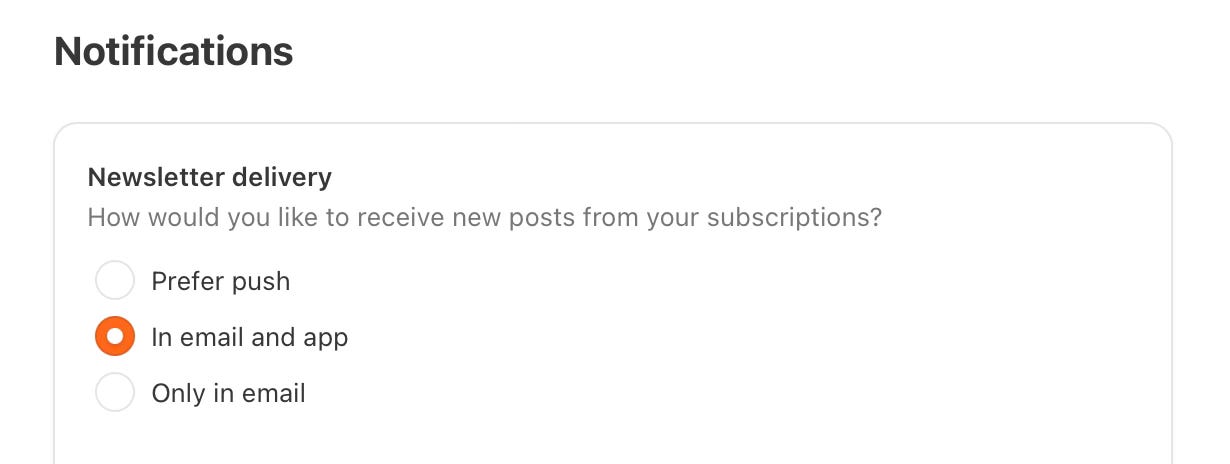
And then if you want to set specific settings for specific subscriptions, you can click on the name of the subscription (while you’re in this settings page) and it will take you to something like this:
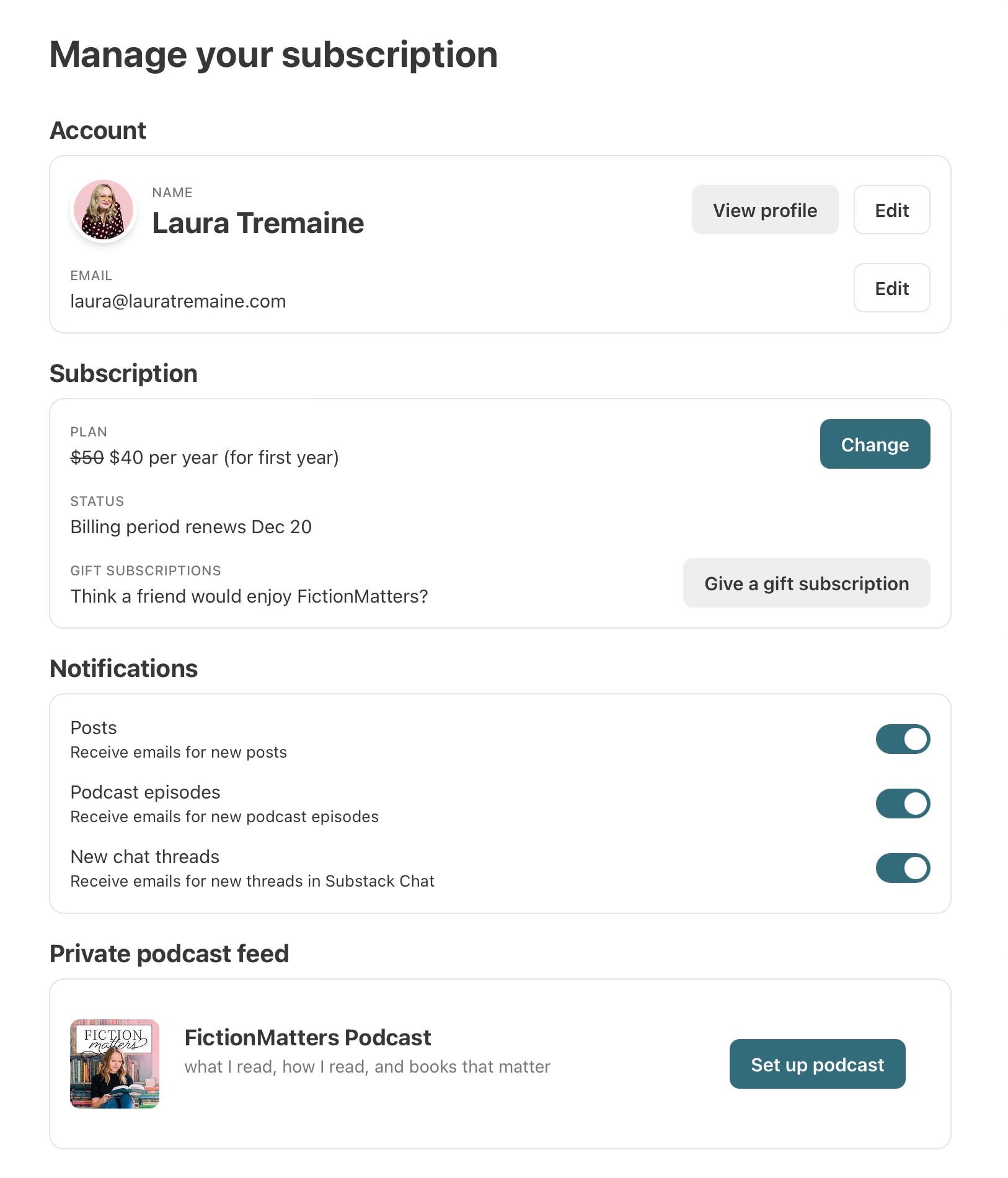
I used the Fiction Matters by Sara Hildreth publication for this tutorial, since I couldn’t use my own.
Note that it lets you toggle to turn notifications off or on for that publication. If you want to make sure you don’t miss a thing from Secret Stuff (including meeting reminders and zoom info), make sure that at least the POSTS category is toggled to ON.
Now see what’s at the bottom of this page? The ability to set up the podcast in your favorite podcast app so you can listen to all the audio content, including Secret Stuff meeting replays.
When you click “set up podcast,” it looks like this:
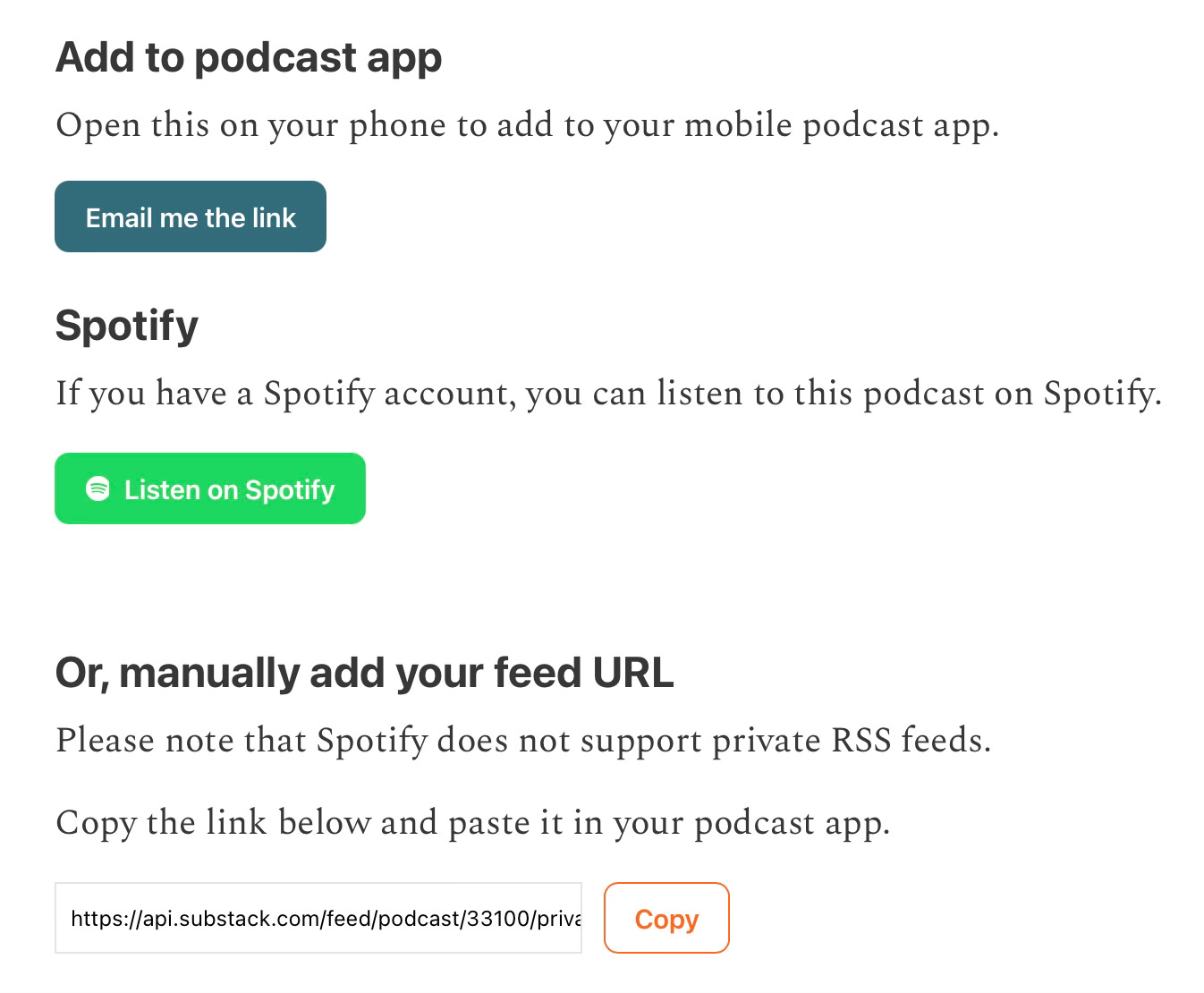
You can select any of these options to help you add Secret Stuff to your preferred podcast app, if you want to listen to Secret Stuff content like you would any other podcast. For the record, I listen to all podcasts in the Overcast app. But if you use Apple Podcasts or Spotify, those work great, too.
Another easy way to find the buttons that help you add audio content to your podcast app is directly on the Substack post (again, not on mobile). Here’s a screenshot from this Symposium meeting with the audio only replay:
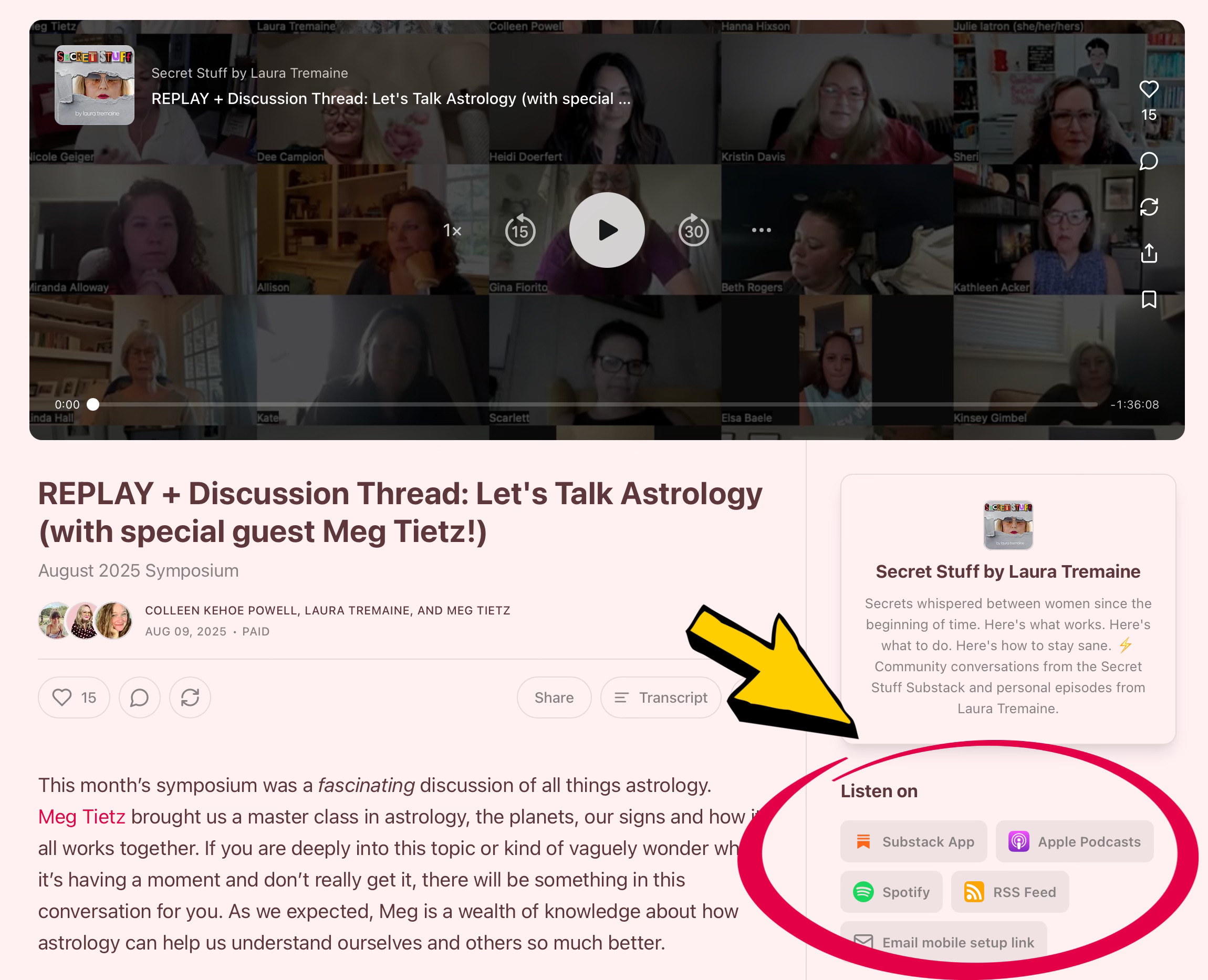
You’re also totally welcome to listen to Secret Stuff audio content directly in the Substack app or on your desktop.
If you need more details on how to get the Secret Stuff audio feed into your preferred podcast app, check out this article.
The actual Secret Stuff…
The best and most important parts of Secret Stuff are the twice monthly zoom meetings.
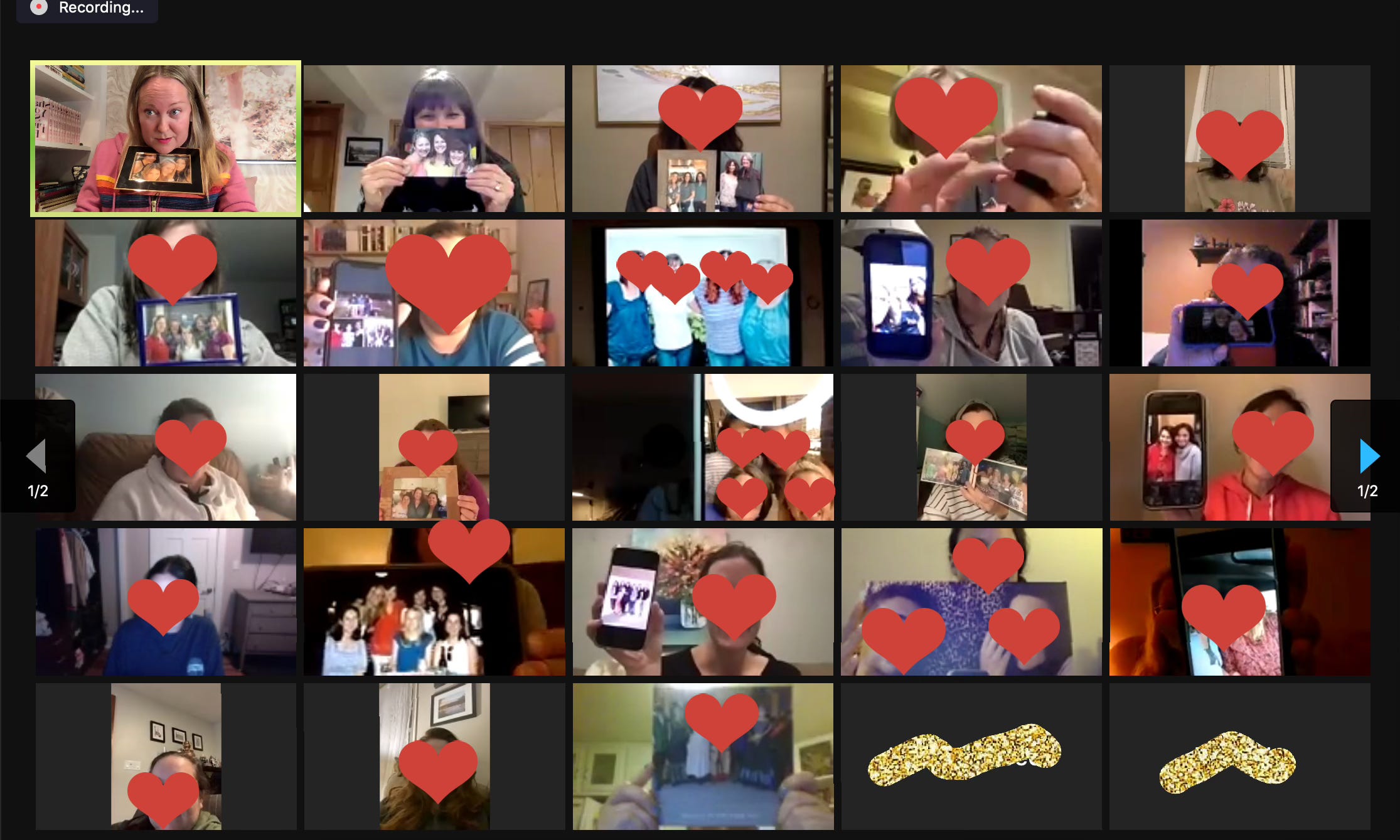
Maybe you’re thinking “eh…I'm not a zoom-meeting-with-strangers kinda person.”
But I promise you - these 90 minutes are worth your time. They’re the best nights of the month. I’ve learned SO MUCH from this community, not to mention laughed, cried, and felt real hope in times of darkness. You’ll love these conversations.
A few notes about these meetings:
They are almost always at 6pm PT / 9pm ET on weeknights (Fall, Winter, and Spring) and 5pm PT / 8pm ET (Summer) or 4pm PT / 7pm on Sundays
You do NOT have to have your camera on and you’re always welcome to multitask and simply listen in
Unless otherwise announced, the meetings are recorded and turned into audio-only replays that will post in your Secret Stuff podcast feed within 48 hours
Things happen in the live meetings that you can only experience there: the VERY active chat, the video aspect, and occasionally whole sections are deleted from the replay if we deem it necessary for someone’s privacy or sensitivity
We post the meeting schedule every quarter so you can plan for it, then we post reminders with the zoom link information a week ahead of the meeting and the morning of the meeting. If you’ve turned off email notifications or push notifications, you will not see these reminders unless you manually log into Substack and check.
What is Symposium?
Symposium is our monthly meeting on a topic where we all gather and discuss as a community. Sometimes the topics are silly, sometimes they’re helpful, sometimes they’re deep, and always they are interesting.
For the most part, the difference between Symposium and Book Club is that you don’t have to prep for Symposium. You can just show up and chat and listen. Occasionally we’ll choose a Symposium topic that requires listening to a podcast, watching a documentary, or reading an article for context. But mostly it’s just a community discussion.
Once a year (July) we do not have a Symposium meeting.
How does the Book Club work?
The Secret Stuff Book Club meets once a month to discuss one book. Click below for a full list of our 2025 Book Club selections:
Like Symposium, we meet on zoom and the Book Club discussions are recorded.
The Secret Stuff Book Club discussions ARE spoiler-full, so wait until the replay if that will bother you.
The rhythm for the Stephen King Summer portion of book club is a little different (since we’re often reading such long books), so check the schedule when it’s posted.
In December, we do not read a book together, but we still meet over zoom and everyone shares their favorite books of the year.
Lastly, my favorite feature of Substack for our community is the members-only chat and comments section. You can find the Secret Stuff chat in the navigation bar of the Secret Stuff main page or in the bottom row icons in the mobile app.
I LOVE being able to chat casually with you and for most posts on Substack I keep the comments to members-only in order to protect the vibe.
Remember, if you’re looking for general information (like schedules, zoom links, etc.) you can always find it on the main Secret Stuff page. Bookmark it. It looks like this:
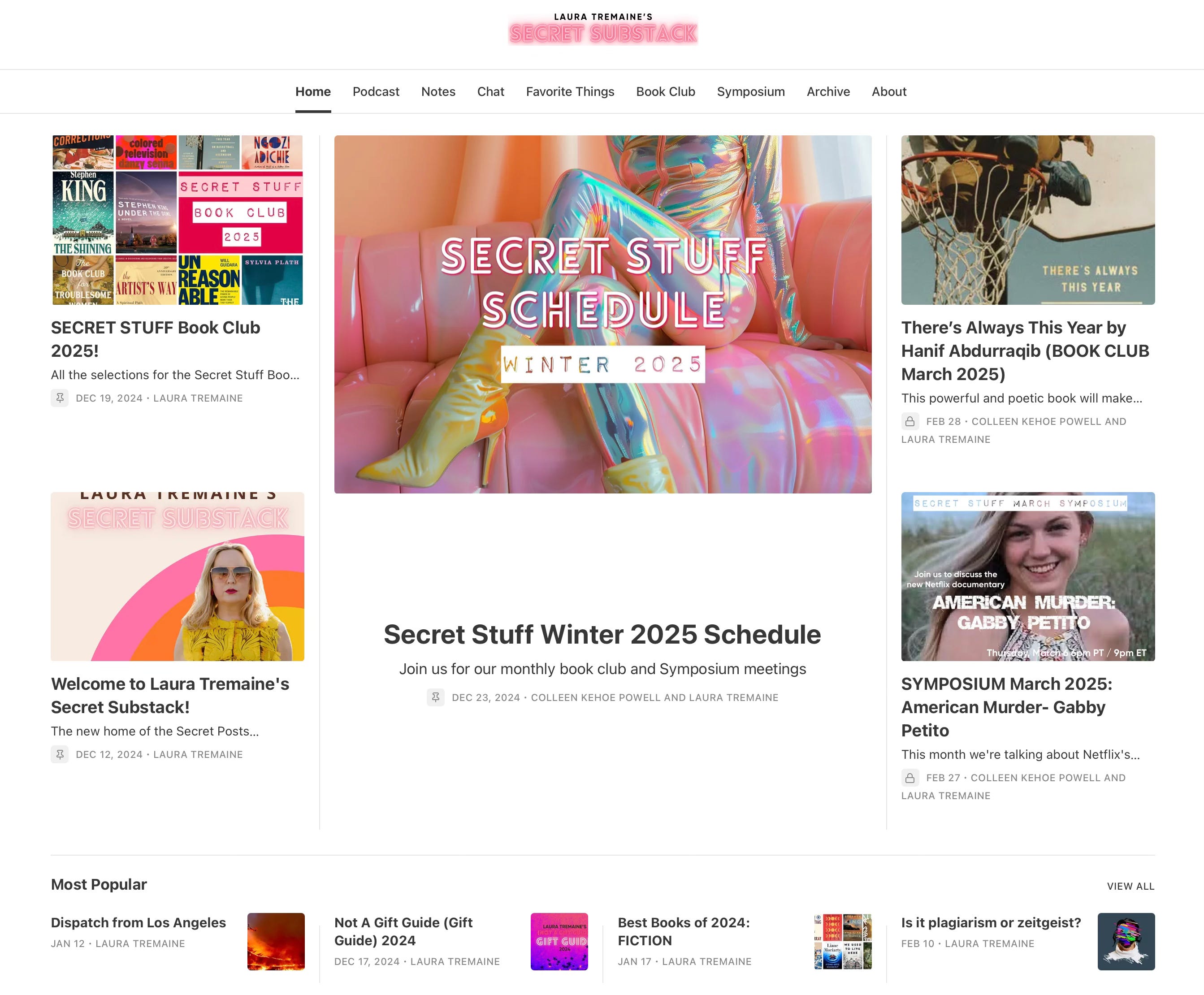
If you’re a long time Secret Stuff member, I think you’ll find that we’ve retained what’s great about Secret Stuff in our move from Patreon and only made it better with these features.
If you’re new to Secret Stuff, I hope you’ll find a welcoming, warm, funny, and thoughtful group of people here. Which is a wonderful thing on the internet.
I hope this tutorial answered a lot of your membership questions. If you have any more, please leave them in the comments and I’ll answer!
Thanks for being a part of Secret Stuff,

Thanks so much for the tutorial. Would it ever be appropriate to create a thread where we share our Substacks, too? I'd love to follow Secret Stuffer's Substacks.
Ty! I just added the url so I can listen once again in overcast. I really need to start using the app more and dive in! Thanks for the tutorial. It’s really helpful.